
TRIP Talk3.32 - Google Play
You'll be able to see results in few seconds.
Publisher Description
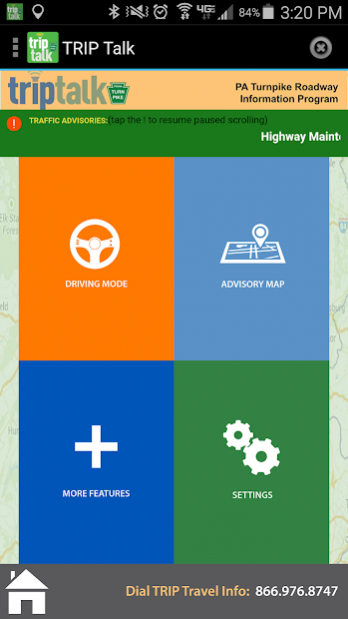
Completely Hands Free and Eyes Free Travel Alerts!
Simply start up the app, set the roadways and range of advisories you would like to hear in your settings, and then as you travel, it will automatically keep you updated.
You don’t need to register, you don’t need to sign up anywhere for anything. The app uses the phone’s built-in GPS to stream nearby alerts.
Turn it on before you leave and it will start talking when you are getting near a roadway problem. Alerts pause when you are on the phone, and pick up where they left off when you finish.
To access the settings screen, press the main menu (the app icon in the top left), and then select "Settings" to alter your settings. .
To completely quit the app, use your device's "Back" button when on the audio controls screen, or utilize the X in the top right corner.
How it Works
Start the application before starting out of your driveway. You will hear active Pennsylvania Turnpike advisories (NEW: select non-Turnpike advisories will now be broadcast if your settings permit it, check "Advisory Types" for these options!) that are within your range. Now put down the phone and focus on driving. There is now nothing you need to touch on the phone, and nothing you need to read on the phone. This is completely hands-free.
The application will remain on while you drive, "broadcasting" any travel alerts for reported conditions within a set mile-range (that you can set for yourself) of your current location. You may select in your options whether to hear advisories only in your direction of travel (in "front" of you) or in all directions. Check your settings to switch this option.
Conditions will be broadcast once, and then the broadcast stream will go quiet until:
a. There is an update to an advisory in range, or
b. Until you have just come within range of another advisory or
c. A set time period has elapsed (that you get to set) and you want to re-hear all advisories that are still in range
If you get a call, or make a call while a travel alert is playing, the alert will pause, and will resume playing when the call has ended.
User Modifications Features/ Experience
You can modify several options. These configurations are saved on your phone.
a. The advisory replay interval
b. The range (in miles) for hearing advisories
c. Advisory types you wish to hear broadcast
The application gives you audio player controls for Play, Pause, Stop, Skip, and Replay All.
You do not need to register with us or with the Pennsylvania Turnpike to use this app or to get these alerts. We don't get or record any identifying information about you or your phone. By default, you will be elected into reporting your device-determined speed along with your location to our servers, but you can elect to opt-out from within the application.
The Technology
The application is based on Information Logistics' patent pending "Open Microphone Platform", which is a queue-driven streaming technology platform used in combination with your phone's built-in GPS. The data for the system is the Pennsylvania Turnpike Commission's travel advisory data.
Notice: Continuous GPS usage may cause increased loss of battery power.
About TRIP Talk
The company that develops TRIP Talk is Information Logistics, Inc.. The latest version released by its developer is 3.32.
To install TRIP Talk on your Android device, just click the green Continue To App button above to start the installation process. The app is listed on our website since 2019-09-05 and was downloaded 0 times. We have already checked if the download link is safe, however for your own protection we recommend that you scan the downloaded app with your antivirus. Your antivirus may detect the TRIP Talk as malware if the download link to com.ptc.locationAlerts is broken.
How to install TRIP Talk on your Android device:
- Click on the Continue To App button on our website. This will redirect you to Google Play.
- Once the TRIP Talk is shown in the Google Play listing of your Android device, you can start its download and installation. Tap on the Install button located below the search bar and to the right of the app icon.
- A pop-up window with the permissions required by TRIP Talk will be shown. Click on Accept to continue the process.
- TRIP Talk will be downloaded onto your device, displaying a progress. Once the download completes, the installation will start and you'll get a notification after the installation is finished.
Program Details
System requirements
Download information
Pricing
Version History
version 3.32
posted on 2019-09-05
- Bug fixes
- Minor UI updates
- Package updates
version 3.32
posted on 2019-09-05
- Bug fixes
- Minor UI updates
- Package updates
version 3.20
posted on 2017-09-12
Multiple crash fixes and other bug fixes
version 3.12
posted on 2016-06-02
- permissions fixes for marshmallow supported phones,- minor UI changes,- various bug/crash fixes,- removal of unneeded permissions,- added SD Card permission for Google Map tile caching (required by google)
version 2.11
posted on 2013-03-08
Several fixes and updates
Disclaimer
Official Google Play Link
We do not host TRIP Talk on our servers. We did not scan it for viruses, adware, spyware or other type of malware. This app is hosted by Google and passed their terms and conditions to be listed there. We recommend caution when installing it.
The Google Play link for TRIP Talk is provided to you by apps112.com without any warranties, representations or guarantees of any kind, so access it at your own risk.
If you have questions regarding this particular app contact the publisher directly. For questions about the functionalities of apps112.com contact us.
